
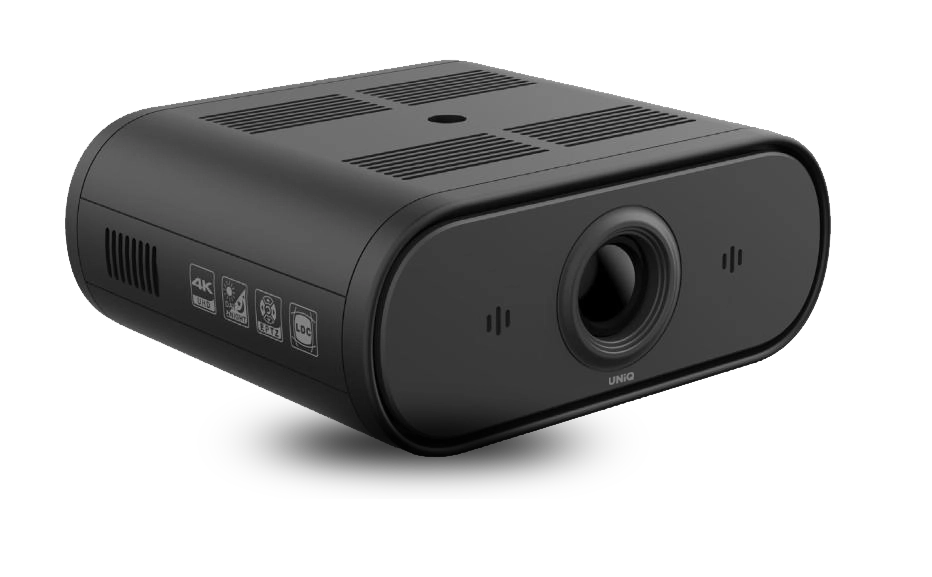





Product features
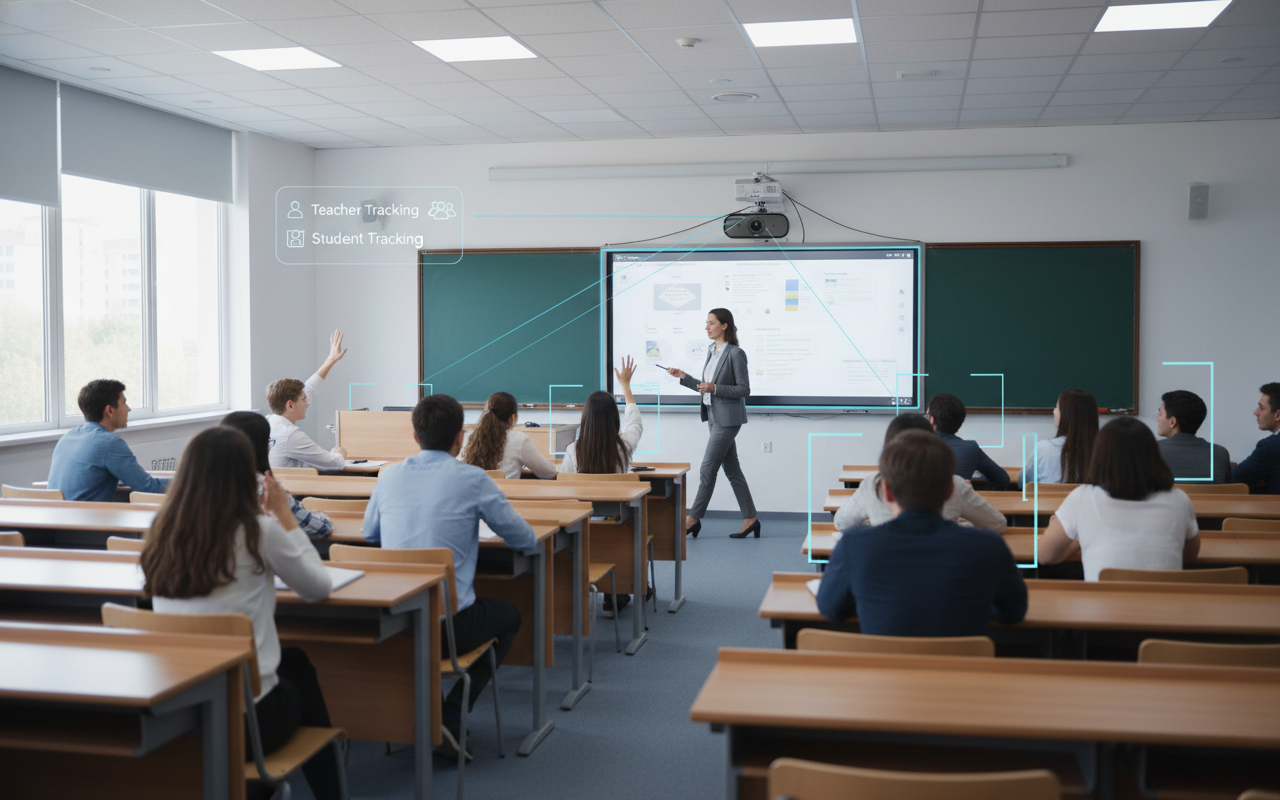
Ai Presenter & Smart Viewing Modes
- Ai tracking supports hall, stage, writing, mix, and preset viewing modes.
- Helps lessons stay centered and readable as the presenter moves naturally.
- Designed to improve teaching visibility across classrooms and lecture spaces.
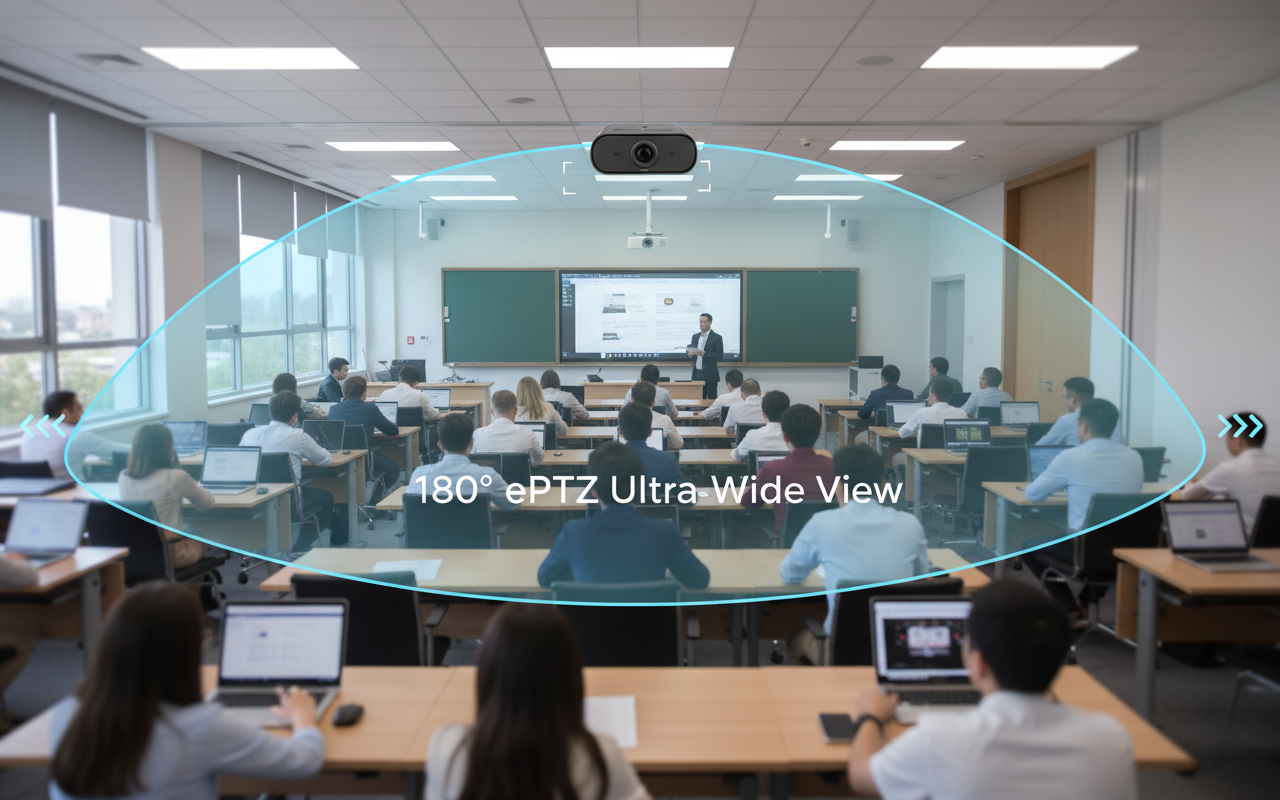
180° FoV ePTZ with Audio Connectivity
- Ultra-wide electronic PTZ coverage captures more of the teaching environment.
- Audio In and Out support helps integrate the camera with room audio workflows.
- Built for inclusive learning where both teacher and student presence matter.
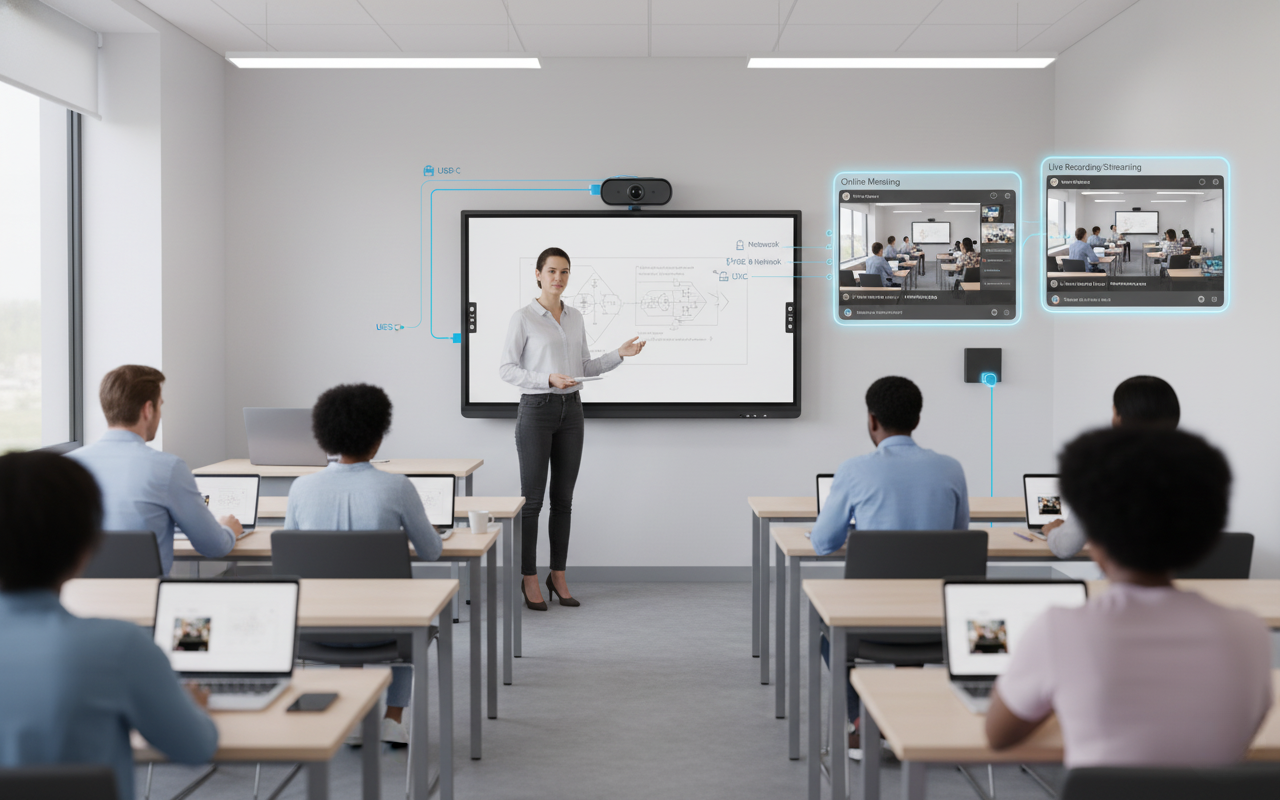
USB-C, Dual Streaming & PoE
- Single-cable connectivity supports data, power, and cleaner installation workflows.
- Dual streaming makes simultaneous local and remote learning delivery easier.
- Helps simplify integration in permanent classroom and training-room deployments.
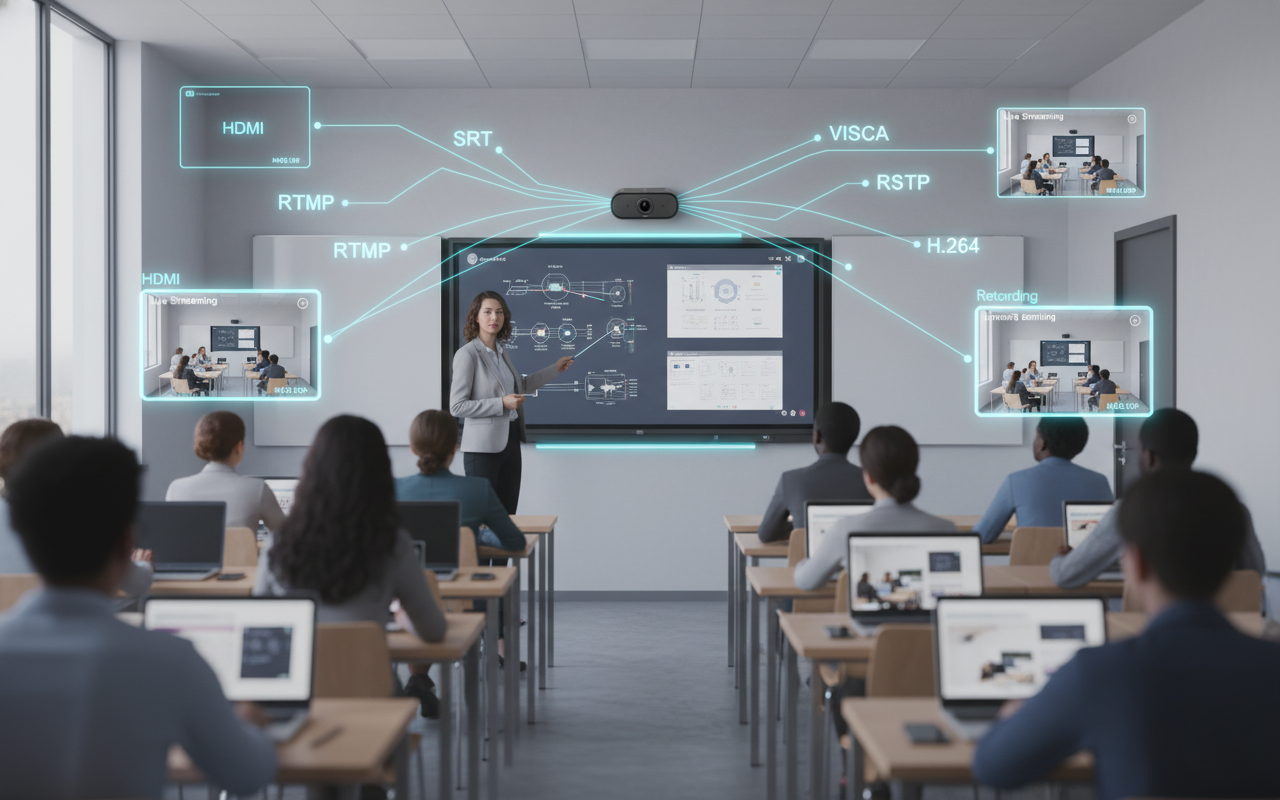
Flexible Streaming for Learning Spaces
- Supports modern classroom and remote-learning distribution across connected environments.
- Works well for hybrid lectures, training sessions, and monitored teaching spaces.
- Extends the camera beyond capture into dependable education delivery workflows.
Specifications
Model : ProCAM-EdTech-T/S
| Camera Specification | |
|---|---|
| Sensor | 1/2.7 inch CMOS, Effective Pixels: 8.31 Megapixels |
| Scanning Mode | Progressive |
| Teacher Lens | Focal Length: f=7.2mm, Horizontal FOV: 44° |
| Student Lens | Focal Length: f=2.88mm, Horizontal FOV: 95° |
| Minimum Illumination | 0.5Lux @ (F1.8, AGC ON) |
| Shutter | 1/30s ~ 1/10000s |
| White Balance | Auto, Indoor, Outdoor, One Push, Manual, VAR |
| Backlight Compensation | Support |
| Digital Noise Reduction | 2D & 3D Digital Noise Reduction |
| EPTZ | Support |
| Auto Focus | Support (Teacher Camera) |
| PoE | Support |
| Select Lens I / II | Corresponding to Teacher / Student Tracking Mode Respectively |
| I/O Interfaces | |
| Network Interface | 1 × RJ45: 10M / 100M / 1000M Adaptive Ethernet, PoE Support |
| USB Interface | 1 × USB 2.0 Type-C |
| Audio Interface | 1 × LINE IN (3-Core Phoenix Interface) |
| Power Interface | DC005 Type (DC12V) |
| Network Specification | |
| Video Compression | H.265 / H.264 / MJPEG |
| Video Stream | First Stream, Second Stream, Third Stream, Fourth Stream |
| First Stream Resolution | 1920×1080, 1280×720, 1024×576 |
| Second Stream Resolution | 3840×2160, 1920×1080, 1280×720 |
| Third Stream Resolution | 1920×1080, 1280×720, 1024×576 |
| Fourth Stream Resolution | 1024×576, 960×540, 720×576 (50Hz), 720×480 (60Hz), 720×480 |
| Video Bit Rate | 32kbps ~ 16384kbps |
| Bit Rate Control | VBR, CBR |
| Frame Rate | 1 ~ 30fps |
| Audio Compression | AAC, G711A |
| Audio Bit Rate | 96Kbps, 128Kbps, 256Kbps |
| Protocols | TCP/IP, HTTP, RTSP, RTMP, ONVIF, DHCP, GB/T 28181, Multicast etc. |
| General Specification | |
| Input Voltage | DC 12V / PoC / PoE (802.3af) |
| Input Current | 0.5A (Max.) |
| Operating Temperature | -10°C ~ 40°C |
| Storage Temperature | -40°C ~ 60°C |
| Power Consumption | 6W (Max.) |
| Dimension | 110mm × 96mm × 44mm |
| Net Weight | 0.2kg |
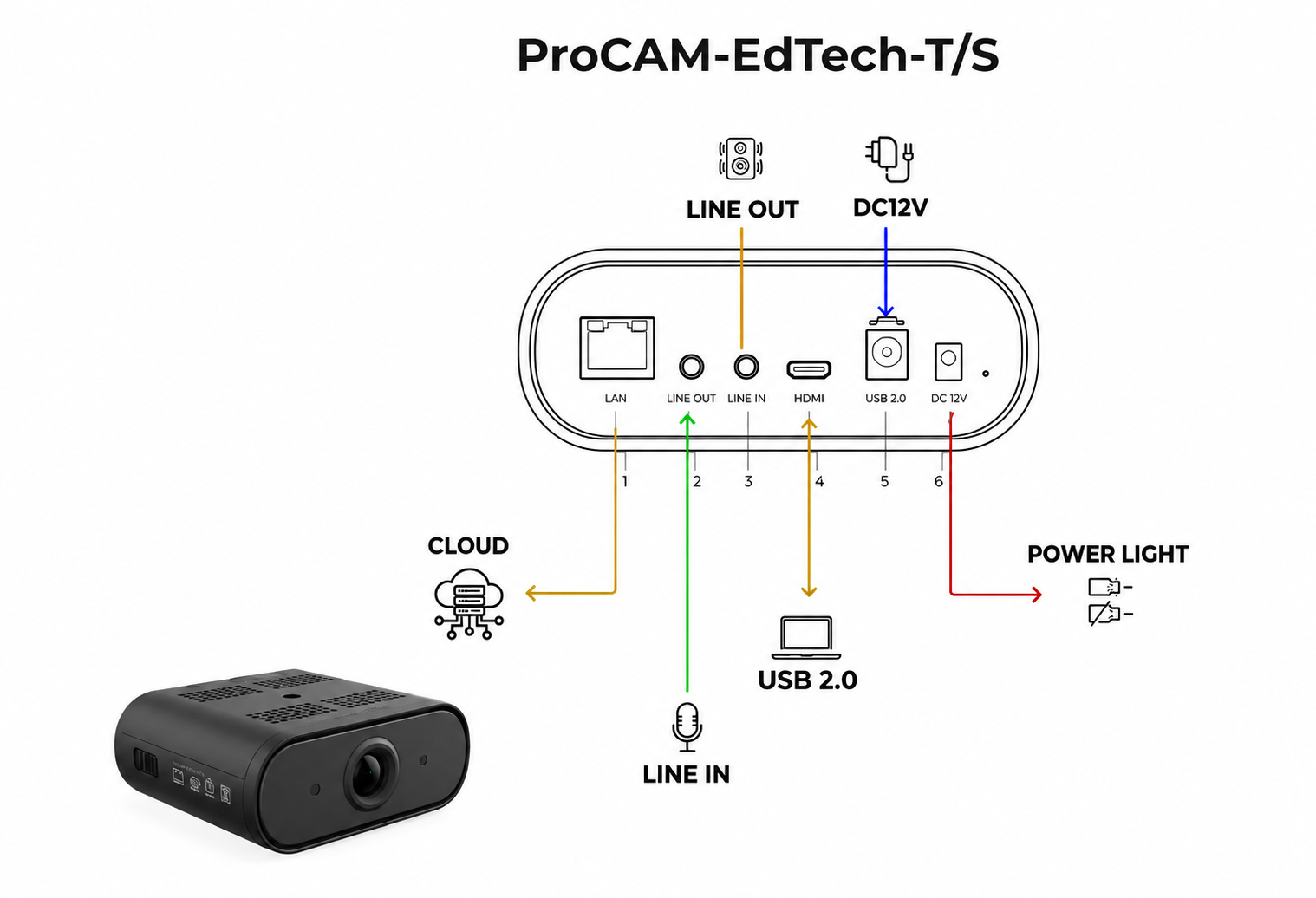
SCHEMATICS
A focused view of the ProCAM-EdTech-T/S design and hardware layout.
FAQ For ProCAM-EdTech-T/S
Quick answers for classroom setup, tracking behavior, and configuration checks.
ProCAM-EdTech-T/S
1. After setting the parameters and clicking "Apply", the application fails?
Possible reasons include wrong version or no tracking, the firewall not being turned off, multiple configuration tools being open, the tracking program hanging, a computer IP conflict, or an older camera version.
2. Teacher or student camera does not track?
Confirm tracking is turned on, the panoramic position and feature position are set, the teacher camera tracking area is drawn, and the student camera parameters are measured accurately.
3. High tracking false tracking rate?
For teacher and student views, draw shielding areas around strong light sources. For student tracking, enable face detection when needed.
4. The version information of the feature camera shows 0.0.00?
This can be caused by protocol or address mismatch between the feature and pano cameras, an abnormal tracking program that needs upgrading, or a serial-port issue between the cameras.
5. Movement appears blurred during teacher tracking?
Enter the menu, select exposure, change the exposure mode to shutter priority, and set the shutter speed to 1/100s.
6. The configuration tool prompts that the connection type does not match?
Make sure the student terminal is connected to the student camera, and the teacher terminal is connected to the teacher camera.
Product Gallery

Who We Support
Built for modern collaboration across learning spaces, growing businesses, and training environments.
Schools, Universities & Educators & Coaching Centers
Get Special OfferCorporates, Startups & MSMEs
Get Special OfferGovernment
Get Special OfferOur Commitment
Focused on quality, reliability, and support to keep every collaboration experience seamless.
Warranty
Reliable coverage that protects your investment and ensures long-term confidence.
Delivery
Fast, dependable delivery so your setup arrives safely and on time.
Support
Dedicated assistance for setup, troubleshooting, and ongoing success.

Copyright @ 2024 uniqint. All rights reserved.